Website · UX & Information Architecture

Making a school's full course catalogue easy to navigate
COMPANY
COMPANY
client
client
ROLE
ROLE

UX · Information Architecture

UX · Information Architecture

UX · Information Architecture

YEAR
YEAR

2019 (Erasmus)

2019 (Erasmus)

Project description

Project description

The brief

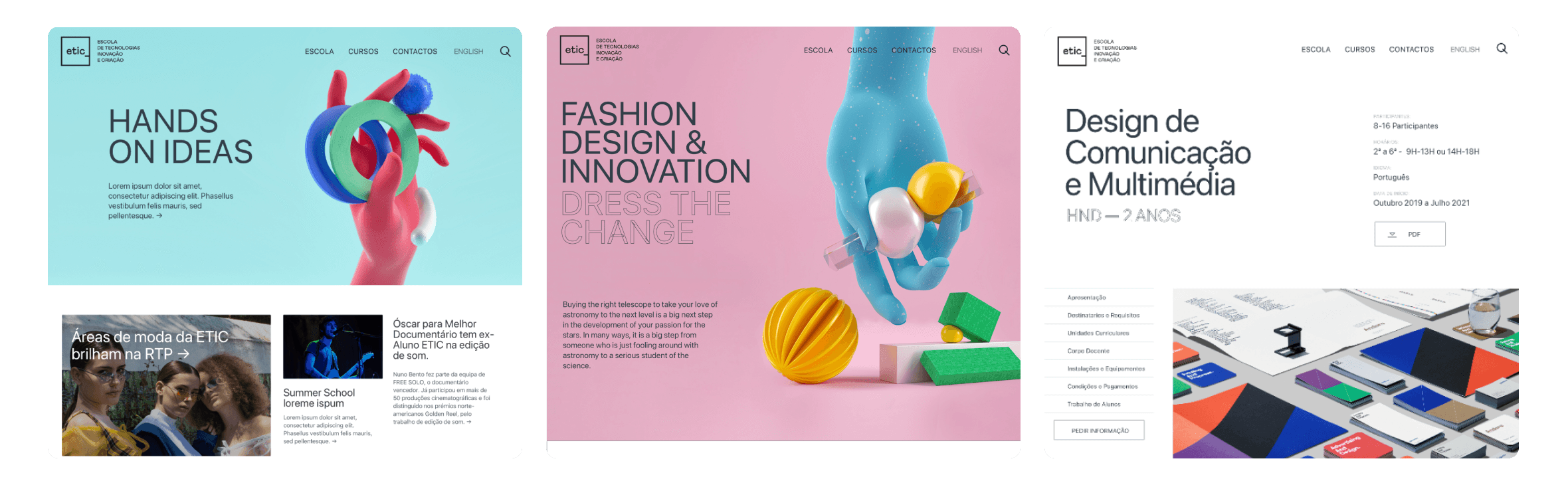
During my Erasmus at V-A Studio in Lisbon, I worked on the website for ETIC, a school of technology, innovation and creation. I was responsible for the UX: structuring a broad, multi-field course offer into a clear, navigable experience.

The product

ETIC covers fields as different as animation, cinema, computer science, design, photography, fashion and music, each with its own courses, durations and diplomas. The risk was a long, flat list with no clear entry point. The real question wasn't how it looks but how someone finds their way in.

My approach

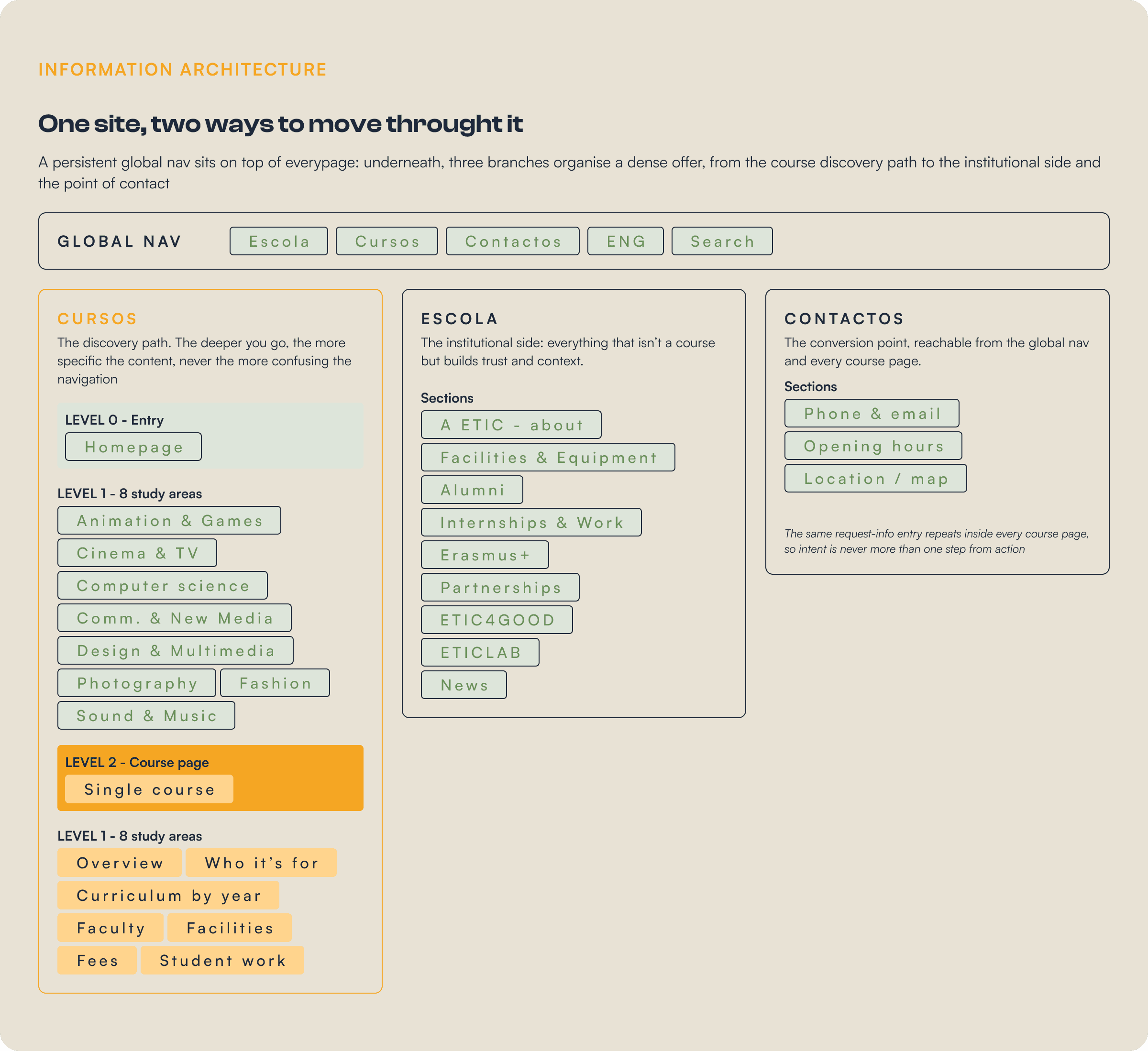
Competitor analysis first, then an information architecture built on two axes: a persistent global navigation and a hierarchical path from broad field to single course. The structure then carried through every section and content type on the site.

my role

I was responsible for the UX and information architecture. The visual identity and final UI were designed by V-A Studio, the screens on this page show how the structure I worked on was brought to life.

Learning from the field

Learning from the field

Before structuring anything, I studied how comparable schools organised their catalogue: how they grouped programmes, what they put first, and where navigation broke down for someone who didn't already know what they wanted. The recurring failure was the same one ETIC risked, courses dumped in one undifferentiated list.

Information architecture

Information architecture

The catalogue needed a backbone. The structure I worked on pairs a persistent global navigation, keeping the main areas one click away from anywhere, with a hierarchical path that lets a visitor drill from a broad field down to a single course, with no dead ends in between.
Process

With the architecture in place, the rest of the work was making sure every step of the journey held together. From the first landing to the request for information, each stage had a single job, and the structure kept the path short and obvious at every point.

01 - entry
surface the offer

The homepage presents the eight study areas as distinct fields and the course types up front, instead of hiding them behind menus.

The homepage presents the eight study areas as distinct fields and the course types up front, instead of hiding them behind menus.

homepage

study areas

02 - NARROW
From area to course

Each study area becomes its own landing page, introducing the field and laying out the courses within it, so a visitor narrows down naturally in a couple of obvious steps.

Each study area becomes its own landing page, introducing the field and laying out the courses within it, so a visitor narrows down naturally in a couple of obvious steps.

Information architecture

Navigation

03 - DECIDE
A consistent course template

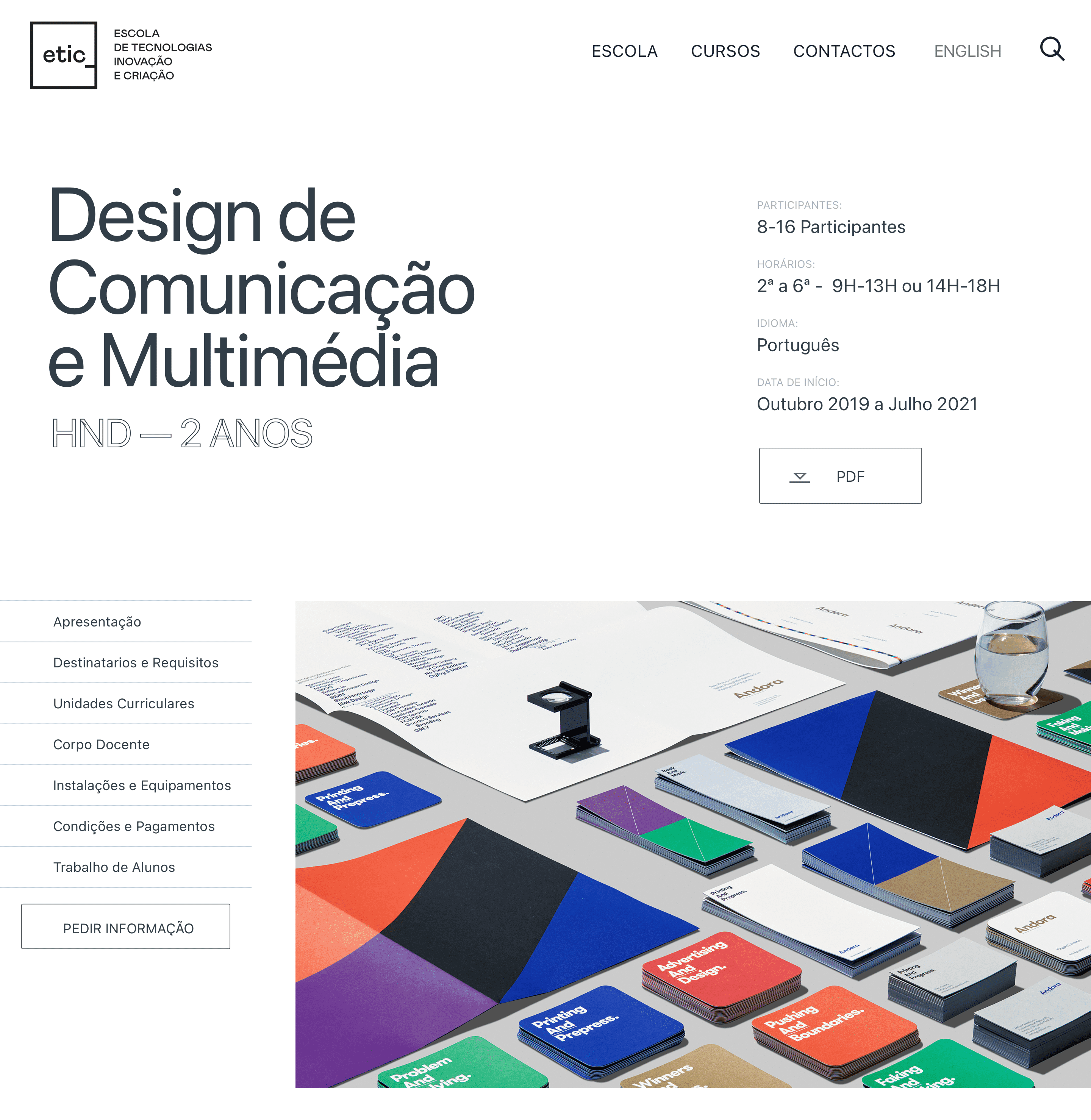
Every course sits on one shared template, side navigation, structured meta, curriculum by year, faculty, fees, with the request-info CTA always in view. All course types reuse it, so the experience never changes shape.

Every course sits on one shared template, side navigation, structured meta, curriculum by year, faculty, fees, with the request-info CTA always in view. All course types reuse it, so the experience never changes shape.

Template design

Content modelling

04 - ACT
Close the loop

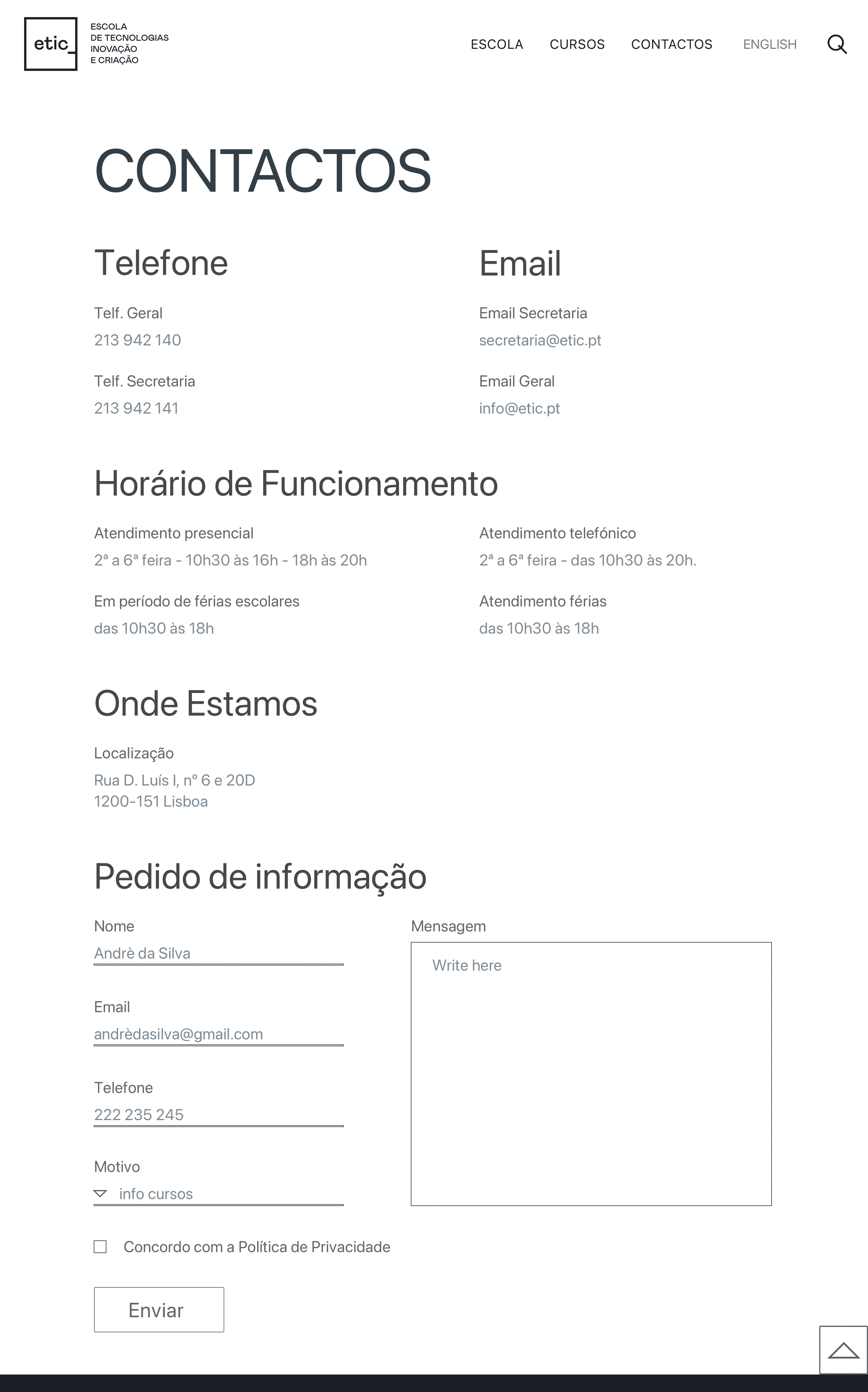
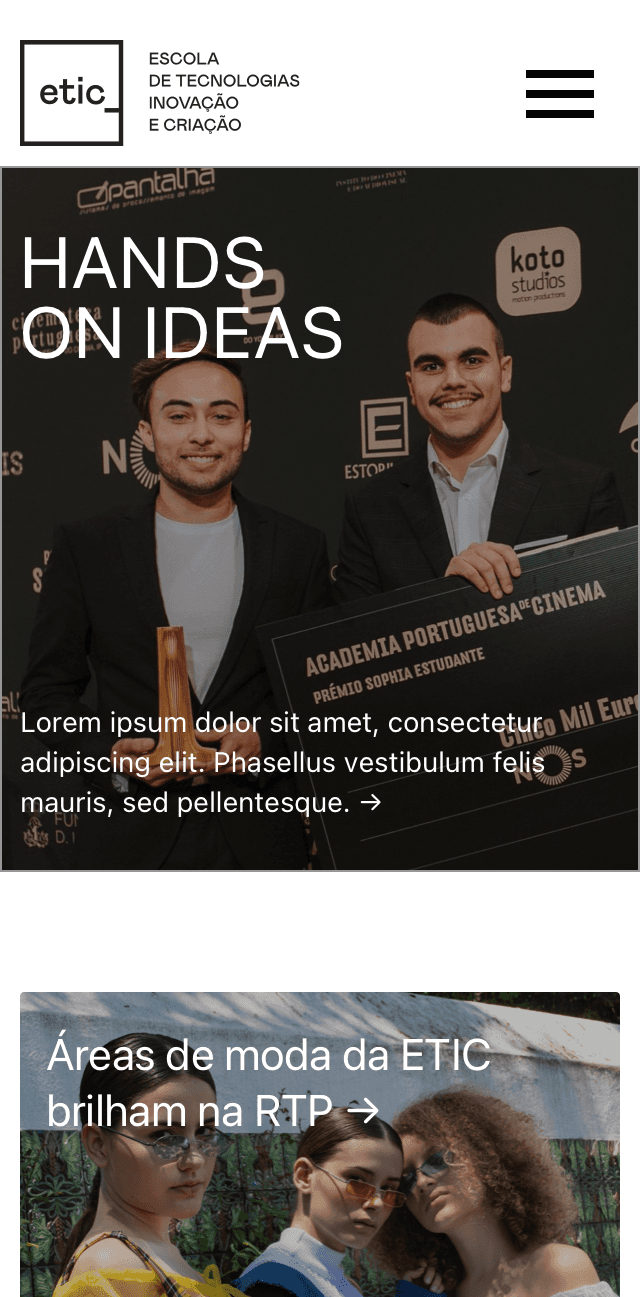
The contact page organises the practicals clearly and ends on the request-info form, the same intent that recurs across the course pages, holding up on mobile where most students actually browse.

The contact page organises the practicals clearly and ends on the request-info form, the same intent that recurs across the course pages, holding up on mobile where most students actually browse.

Conversion

Responsive

From area to course

From area to course

This is where the architecture becomes something you can see. The same three-level logic, area to course to detail, plays out screen by screen, with the structure doing the work so the interface can stay calm and uncluttered.

This is where the architecture becomes something you can see. The same three-level logic, area to course to detail, plays out screen by screen, with the structure doing the work so the interface can stay calm and uncluttered.

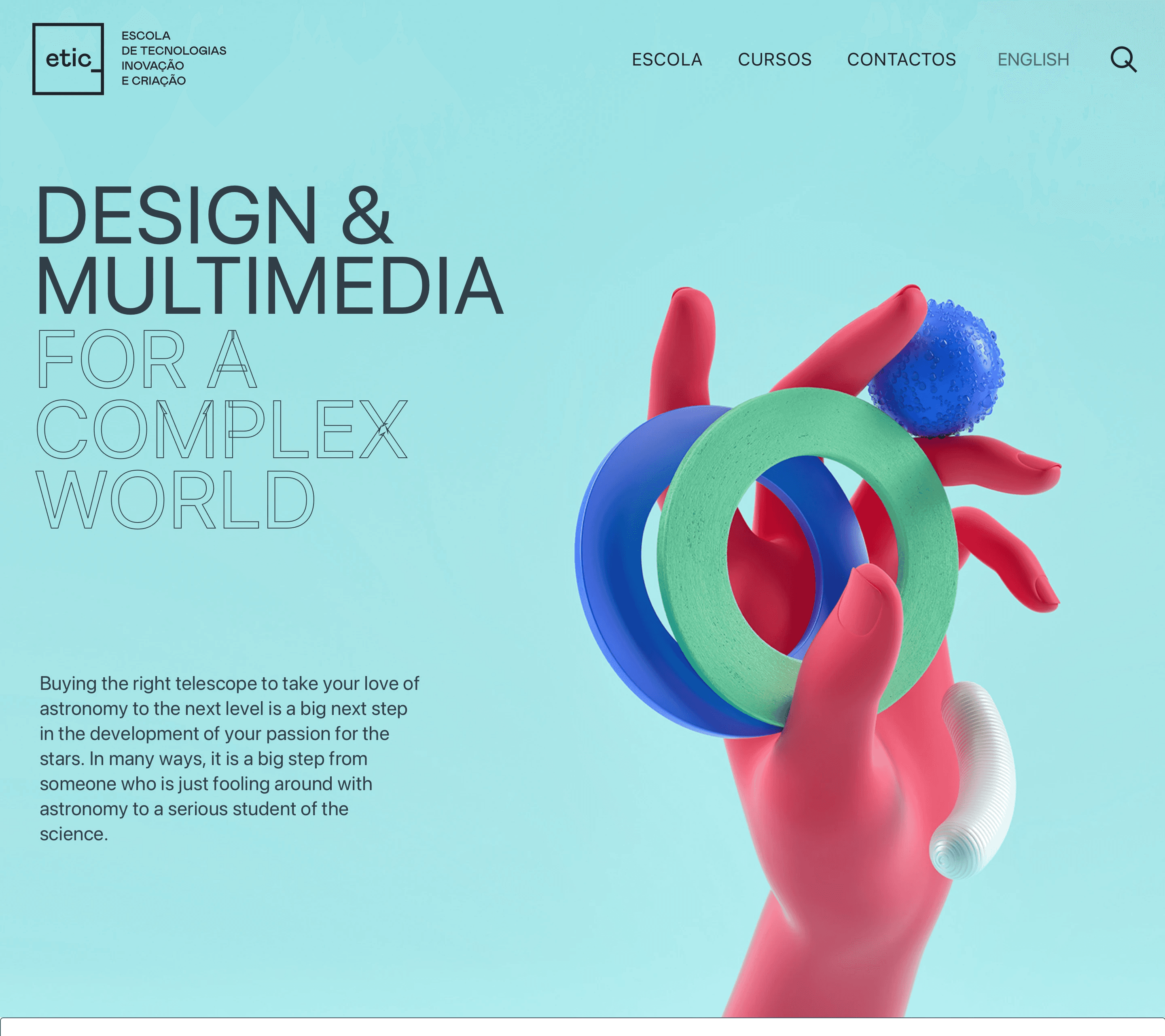
Study area - Design & Multimedia • the field introduced, then its courses. UI by V-A Studio.
Course page• side navigation, structured meta, curriculum by year. UI by V-A Studio.
Contact & mobile • the same structure holding together across the request-info flow and on smaller screens. UI by V-A Studio.
Reflection

Reflection

Structure over surface

The strongest outcome wasn't visual, it was the order underneath. Grouping eight fields into clear areas is what turned a long list into something a visitor could actually navigate.

One template, many courses

Defining one content structure that every course page could share kept the site consistent and scalable, new programmes slot into the same template without rethinking it.

Working alongside a studio

Contributing the UX and information architecture inside a studio that led the visual design taught me to hand off structure clearly, so the UI could build on it rather than fight it.

Structure over surface

The strongest outcome wasn't visual, it was the order underneath. Grouping eight fields into clear areas is what turned a long list into something a visitor could actually navigate.

Working alongside a studio

Contributing the UX and information architecture inside a studio that led the visual design taught me to hand off structure clearly, so the UI could build on it rather than fight it.

One template, many courses

Defining one content structure that every course page could share kept the site consistent and scalable, new programmes slot into the same template without rethinking it.

What I'd carry forward
Validate the grouping with real students.

The eight areas made sense to us; the next step would be testing whether prospective students group the fields the same way, with a quick card sort.

Pressure-test the course template.

One template across very different programmes is efficient, but I'd check the edge cases, the shortest and the most complex courses, to make sure none feels cramped or padded.

Measure the path to request-info.

The whole structure points toward the request-info form. With analytics in place, I'd track how many steps it actually takes and where people drop off.

Next project

Next project

Blend+ - Mobile App

Create a free website with Framer, the website builder loved by startups, designers and agencies.